


Design an Inquiry-First Unit
Learning Goals and Assessment Targets
Define conceptual understanding and strategic tool use as core goals.
Additionally, prioritize problem posing, quantitative reasoning, and perseverance.
Also, articulate how calculator use will support deeper reasoning.
Finally, align assessments to capture both process and product.
Crafting Compelling Real-World Questions
Choose contexts that matter to students and local communities.
For example, explore pricing at Riverbend Bakery to investigate proportional reasoning.
Meanwhile, examine energy use at Greenway Gardens to analyze rates and trends.
Furthermore, study attendance patterns at Molina Sports Club to model predictions.
Also, ensure questions remain open-ended and invite multiple solution methods.
Moreover, require data collection that students can obtain and verify themselves.
- Bakery pricing scenario where students compare ingredient costs and design menu pricing strategies.
- Community garden water use scenario where students analyze weekly water logs and propose efficiency changes.
- School fundraiser scenario where students model ticket pricing and forecast revenue under different plans.
Sequencing Lessons Around Inquiry
Begin units by launching an authentic phenomenon or dilemma.
Next, have students ask questions and propose initial hypotheses.
Then, guide students to collect real data using simple tools.
Afterward, encourage informal calculations by hand to ground reasoning.
Subsequently, introduce calculator use when computation distracts from conceptual work.
Finally, have students use calculators to test and refine their models.
Sample Lesson Plan: Bakery Pricing Investigation
Ms. Amina Carter introduces the problem with bakery sales data from Maplewood.
Then, students generate questions about cost, price, and profit margins.
Next, groups collect ingredient prices and estimate batch yields.
Meanwhile, students calculate unit costs using mental math and paper methods.
Afterwards, Ms. Carter models calculator strategies for percent and unit conversions.
Finally, teams apply calculators to simulate pricing scenarios and present recommendations.
Strategies for Introducing Calculator Functions
Introduce functions only when they advance inquiry and analysis.
Start with memory recall, parentheses, and percent functions.
Subsequently, model how to check calculator results against estimates.
Additionally, teach students to document calculator steps and reasoning.
Moreover, encourage strategic choice between manual and calculator methods.
- Memory keys: Use memory to store intermediate totals and support multi-step tasks.
- Percent and ratio functions: Apply percent keys to model discounts, profit margins, and growth rates.
- Parentheses and order of operations: Demonstrate grouping to avoid common entry errors and misinterpretations.
Assessment and Reflection
Use performance tasks that require both reasoning and tool use.
Furthermore, design rubrics that assess explanation quality and calculation choices.
Also, collect student reflections on when calculators helped or hindered thinking.
Master Calculations Instantly
Unlock solutions for math, physics, engineering, and chemistry problem with step-by-step clarity. No internet required. Just knowledge at your fingertips, anytime, anywhere.
Then, revise instruction based on assessment trends and student feedback.
Equity and Accessibility
Ensure equitable access to calculators and alternative tools in every classroom.
Additionally, provide language supports and visual organizers for multilingual students.
Also, adapt tasks for students with diverse motor or visual needs.
Moreover, partner with district technology teams like Riverstone District to secure devices.
Professional Development and Collaboration
Offer collaborative planning time for teachers to design inquiry tasks together.
For instance, invite curriculum coach Marisol Alvarez to model a lesson study cycle.
Furthermore, organize peer observations to share effective calculator integration practices.
Finally, cultivate a culture of experimentation and reflective improvement among staff.
Progression from Basic Tools to Advanced Calculators
Early Years: Concrete Number Tools
Young learners explore numbers using fingers, counters, and ten-frames.
First, teachers like Maya Rivera model one-to-one correspondence with physical objects.
Then, students practice simple addition and subtraction with colorful manipulatives.
Additionally, caregivers introduce basic estimation using number sense games.
Furthermore, classroom displays show number patterns and visual strategies.
Primary Years: Introduction to Basic Calculators
Teachers introduce handheld basic calculators after students master mental math strategies.
Next, instructors at Harper STEM Academy set clear tasks for calculator use.
For example, they ask students to verify answers rather than replace thinking.
Moreover, lessons include prediction, calculator check, and reflection cycles.
Also, classroom norms emphasize accuracy, function knowledge, and ethical use.
Intermediate Years: Transition to Scientific Concepts
In middle grades, educators present scientific functions gradually with contextual problems.
Then, Dr. Kevin Huang models order of operations before introducing trig buttons.
Meanwhile, students explore real-world situations that motivate roots, powers, and exponents.
Additionally, teachers scaffold symbol fluency alongside button mapping activities.
Furthermore, assessment tasks require justification of calculator outputs in student words.
Adolescent Years: Graphing and Modeling
High school instructors move students toward graphing calculators for exploration and modeling.
Next, teachers at Maple Ridge High design tasks around data fitting and function behavior.
For example, students investigate projectile motion and fit quadratic models using TI tools.
Additionally, instructors emphasize interpreting windows, scales, and residuals for models.
Moreover, collaborative lab tasks promote argumentation using calculator evidence.
Teacher Preparation and Device Selection
Administrators consult Casio Education and Texas Instruments resources for device selection.
Master Calculations Instantly
Unlock solutions for math, physics, engineering, and chemistry problem with step-by-step clarity. No internet required. Just knowledge at your fingertips, anytime, anywhere.
Then, schools align device features with curricular goals and budget constraints.
Also, professional development focuses on button fluency and pedagogical moves.
Furthermore, mentor teachers like Ava Patel coach lesson-level integration and troubleshooting.
Finally, staff create shared cheat sheets that list common functions and errors.
Assessment and Scaffolding Strategies
Formative tasks require students to explain calculator use and reasoning aloud.
Next, rubrics evaluate function selection, interpretation, and mathematical justification.
Additionally, teachers use tiered prompts to support diverse learners in calculator tasks.
Moreover, timed fluency checks focus on procedural speed without sacrificing conceptual insight.
Also, portfolios collect calculator-based investigations and reflective write-ups over time.
Classroom Routines and Digital Citizenship
Teachers establish clear routines for calculator storage and respectful use.
Then, classrooms adopt policies that balance technology and mental computation practice.
Additionally, educators discuss academic honesty in calculator-enabled assessments.
Furthermore, students practice troubleshooting common mode and syntax errors collaboratively.
Sample Lesson Sequences and Activity Ideas
- Sequence: concrete manipulatives, estimation challenge, calculator verification, reflective write-up.
- Scavenger hunt for functions across calculator menus.
- Model a local weather trend using a graphing calculator.
- Paired debugging where students fix a peer’s calculator input error.
Implementation Timeline and Progress Indicators
Schools plan a multi-year timeline that builds complexity and independence.
Then, teams track milestones such as function recognition and model interpretation.
Additionally, indicators include accurate use, clear explanations, and strategic tool choice.
Finally, ongoing reflection ensures the progression meets student needs and curricular goals.
Activities That Strengthen Estimation and Mental Math While Teaching Verification
Warm-Up Estimation Routines
Begin class with brief estimation prompts to activate number sense.
Next, ask students to predict results before using calculators.
Then, invite students to share quick mental strategies for their predictions.
Finally, compare predictions with calculator outputs to start verification habits.
Predict-and-Check Tasks
Present problems and require a mental estimate before any calculator use.
Subsequently, allow calculator use only after students record their estimates.
Afterwards, prompt students to explain differences between estimates and calculator answers.
Error-Spotting and Debugging Challenges
Create tasks where students examine calculator outputs for plausibility.
Then, encourage students to rerun calculations mentally or with alternative methods.
Additionally, use peer discussions to surface common input or interpretation mistakes.
Short Mental Math Drills
Offer focused drills that strengthen common mental operations.
Next, vary difficulty to maintain engagement and build confidence incrementally.
Moreover, combine timed and untimed versions to teach fluency and accuracy.
Master Calculations Instantly
Unlock solutions for math, physics, engineering, and chemistry problem with step-by-step clarity. No internet required. Just knowledge at your fingertips, anytime, anywhere.
Calculator Verification Protocol
Teach a simple verification routine that students follow each time.
For example, instruct students to estimate, calculate, and then reason about the result.
Then, require students to show one mental or paper-based check alongside calculator answers.
Collaborative Games and Stations
Set up stations that alternate mental work with calculator checks.
Meanwhile, rotate roles so some students predict while others verify outputs.
Additionally, design games that reward accurate estimation and thoughtful verification.
Reflection and Metacognitive Prompts
Ask students to write brief reflections after verification activities.
Next, prompt them to note which mental strategies helped most during checks.
Finally, collect insights to inform future mini-lessons on common errors.
Differentiation and Scaffolds
Provide sentence stems to support students explaining verification steps.
Then, offer layered challenges that adjust estimation complexity for diverse learners.
Additionally, supply visual supports for students who benefit from concrete representations.
Assessment Tasks That Emphasize Verification
Design assessments that require an estimate and a verification explanation.
Next, score both numerical accuracy and the rationale for checking calculator outputs.
Moreover, use assessment results to target small-group instruction on weak areas.
Sample Prompts and Teacher Moves
Use prompts that focus attention on reasonableness rather than only correctness.
Then, model thinking aloud when verifying a calculator result for students.
Additionally, praise efficient mental strategies and careful verification behaviors.
Implementation Tips for Classroom Routines
Start small by adding one verification step to daily practice.
Next, reinforce routines through consistent language and expectations.
Finally, adjust pacing based on student confidence and observable fluency gains.
Explore Further: How Graphing Calculators Enhance Mathematical Understanding
Teaching Calculators as Thinking Partners
Establish a Problem-Solving Mindset
Position calculators as partners in student reasoning.
Emphasize questions that require choices and interpretation.
Instruct students to verbalize their calculation strategy.
Have students predict reasonable results before calculating.
Design Tasks That Require Interpretation
Craft tasks that demand interpretation of calculator outputs.
Ask students to judge the plausibility of computed results.
Require students to identify assumptions behind each calculation.
- Model situations with missing or uncertain data.
- Interpret patterns in output rather than only copying numbers.
- Translate numeric outputs into real-world meaning and units.
Use Prompts That Build Metacognition
Use prompts that make thinking visible to peers and teachers.
Master Calculations Instantly
Unlock solutions for math, physics, engineering, and chemistry problem with step-by-step clarity. No internet required. Just knowledge at your fingertips, anytime, anywhere.
Ask students to record steps, choices, and reasons after using calculators.
Encourage students to reflect on when calculators improved understanding.
Classroom Routines to Prevent Dependency
Alternate tasks that require mental computation with calculator tasks.
Require an initial estimate before allowing calculator use.
Set brief checkpoints where students must explain calculator results.
Scaffold fading support as students gain confidence and skill.
Collaborative Practices
Structure pair work so partners discuss strategy before calculating.
Rotate roles so different students lead reasoning and operations.
Ask groups to present interpretations and decision points.
Assess Reasoning Rather Than Only Results
Design assessments that value explanation and reasoning over computation.
Include tasks that require students to compare solution paths.
Use error analysis tasks to reveal and correct misconceptions.
Find Out More: The Role of Calculators in Simplifying Complex Problem-Solving
Assessment Policies and Classroom Rules
Principles for Policy Design
Define clear goals that align with curriculum and skills.
Also, prioritize fairness and student integrity in every decision.
Furthermore, balance calculator practice with opportunities for unaided reasoning.
Assessment Formats and Calculator Allowances
Specify which assessments allow calculators and which do not.
Additionally, indicate allowable calculator features on each assessment.
Moreover, require students to record key steps or reasoning when calculators are used.
Next, design some tasks that assess conceptual understanding without calculators.
- Include open tasks that permit calculators and ask for explanations
- Include closed tasks that assess fluency and mental strategies without calculators
- Include mixed tasks that test both computation and interpretation skills
Academic Integrity Measures
Establish clear expectations about sharing answers and device use.
Also, explain consequences for misuse in simple terms.
Furthermore, use assessment designs that reduce opportunities for cheating.
- Require students to submit brief written explanations alongside calculator results
- Vary problem parameters to discourage answer sharing during summative tests
- Monitor assessments actively and rotate seating when feasible
Equity and Accommodations
Ensure equitable access to calculators or acceptable alternatives.
Moreover, plan accommodations for students with learning needs.
Also, provide loaner devices or paper alternatives when necessary.
Additionally, consider timed adjustments and format changes for fairness.
Classroom Routines and Expectations
Create routines for device storage, charging, and respectful handling.
Furthermore, teach etiquette for calculator sharing and collaboration.
Also, set clear rules about permitted apps and modes during tasks.
Master Calculations Instantly
Unlock solutions for math, physics, engineering, and chemistry problem with step-by-step clarity. No internet required. Just knowledge at your fingertips, anytime, anywhere.
Moreover, model responsible calculator use during demonstrations and practice.
- Require students to bring allowed tools or request classroom alternatives
- Encourage students to check results with reasoning or estimation
- Address misuse promptly with consistent and educational consequences
Communicating and Reviewing Policies
Share policies with students and families at the start.
Also, post concise rules in the classroom for quick reference.
Furthermore, review policies before major assessments and adjust as needed.
Finally, solicit student feedback to refine policies over time.
Delve into the Subject: Practical Applications of Calculators Beyond Academia
Teacher-Facing Lesson Plans and Professional Development
Lesson Plan Template Components
Begin with a clear learning objective aligned to calculator reasoning skills.
Next, state the student-facing question that sparks productive curiosity.
Also include explicit teacher moves that model curiosity and uncertainty.
Then outline student tasks that require calculator reasoning and interpretation.
Additionally, list formative checks that reveal student thinking during the lesson.
Also provide differentiation notes for varied readiness without prescribing specific tools.
Moreover, add a short troubleshooting note for likely procedural barriers.
Finally, include a brief reflection prompt for teacher revision after instruction.
Designing Teacher Moves That Model Curiosity
Begin by planning think-aloud moments that reveal authentic problem exploration.
Then intentionally voice questions you do not immediately answer.
Also demonstrate playful experimentation with calculator features and functions.
Moreover pause to notice surprising outputs and invite student hypotheses.
Next signal productive uncertainty as a normal part of mathematical thinking.
Finally craft prompts that push students to ask their own investigative questions.
Scaffolding Skill Development Within Lessons
Start lessons with micro-tasks that isolate one calculator skill at a time.
Then gradually combine skills into richer problem-solving activities.
Also provide sentence stems that guide student explanations of calculator work.
Additionally offer tiered prompts that escalate in independence demands.
Moreover embed quick checks that confirm conceptual understanding rather than button fluency.
Finally plan predictable routines that support student confidence and practice.
Troubleshooting Protocols for Classroom Use
Prepare a short teacher script for responding to procedural errors calmly.
Then teach a diagnostic question sequence to identify user versus calculation errors.
Also create a peer troubleshooting routine that promotes collaborative problem solving.
Moreover include a checklist of common user steps to speed resolution during class.
Master Calculations Instantly
Unlock solutions for math, physics, engineering, and chemistry problem with step-by-step clarity. No internet required. Just knowledge at your fingertips, anytime, anywhere.
Next train teachers to escalate persistent issues into short learning moments.
Finally record recurring problems to inform future lesson adjustments.
Professional Development Session Designs
Begin sessions with a model lesson demonstration that highlights teacher curiosity moves.
Then follow with a microteaching cycle where teachers practice short lesson segments.
Also incorporate peer observation with focused feedback prompts for coaching.
Additionally schedule collaborative planning time to adapt templates for specific classes.
Moreover use reflection protocols that ask teachers what surprised them and why.
Finally plan follow-up meetings that return to classroom evidence and refine practice.
Activities and Materials for Teacher Learning
- Role-play scenarios that simulate common classroom troubleshooting moments.
- Observation checklists that focus on curiosity modeling and scaffolded supports.
- Reflection prompts that encourage iterative improvement of lesson designs.
- Peer coaching routines that establish nonjudgmental, actionable feedback cycles.
Ongoing Support and Evaluation
Implement short coaching cycles that prioritize concrete teacher moves and student artifacts.
Then gather teacher reflections and student work to assess instructional effects.
Also use iterative revisions to lesson templates based on classroom feedback.
Moreover maintain a shared repository of troubleshooting notes and effective prompts.
Finally sustain teacher confidence through regular opportunities to rehearse and reflect.
Discover More: Exploring the Versatility of Scientific Calculators
Leverage Advanced Features to Promote Exploratory Learning
Why advanced features matter
Advanced features enable rapid visualization of mathematical relationships.
Additionally, they reveal patterns that remain hidden in static problems.
Therefore students can form and test ideas more efficiently.
Graphing for pattern discovery
Have students plot functions and then adjust parameters to observe changes.
Furthermore, ask students to predict graph changes before altering parameters.
- Plot a base function and alter one parameter to observe its effect.
- Encourage students to annotate turning points and intersections on graphs.
- Prompt students to compare multiple graphs to find consistent features.
Data analysis tools for investigative work
Use data tables to link numerical values with visual trends.
Then, encourage students to test hypotheses against collected data.
- Collect brief class measurements and display them in a scatterplot.
- Guide students to compute summary statistics that support pattern claims.
- Have students fit simple models and compare residual patterns visually.
Simulations to explore what-if scenarios
Design simulations that let students change inputs and observe outputs immediately.
Consequently, students can explore causal relationships without lengthy calculations.
- Vary rates or probabilities to observe long-term trend behavior.
- Run repeated trials to help students notice stable outcome patterns.
- Encourage incremental changes to identify thresholds and tipping points.
Classroom practices that support exploratory use
Set norms that value experimentation and tentative conclusions.
Additionally, encourage students to document steps, changes, and observations clearly.
- Ask students to record parameter changes alongside resulting patterns.
- Schedule brief sharing sessions where students describe their discoveries.
- Use prompts that focus on why patterns emerge, not only what appears.
Reflection and formative checks during exploration
Use short reflection prompts to capture students’ reasoning after explorations.
Furthermore, require students to justify pattern descriptions with visual or numerical evidence.
- Require a concise explanation linking a graph to its numerical origin.
- Ask students to propose a follow-up experiment based on observed patterns.
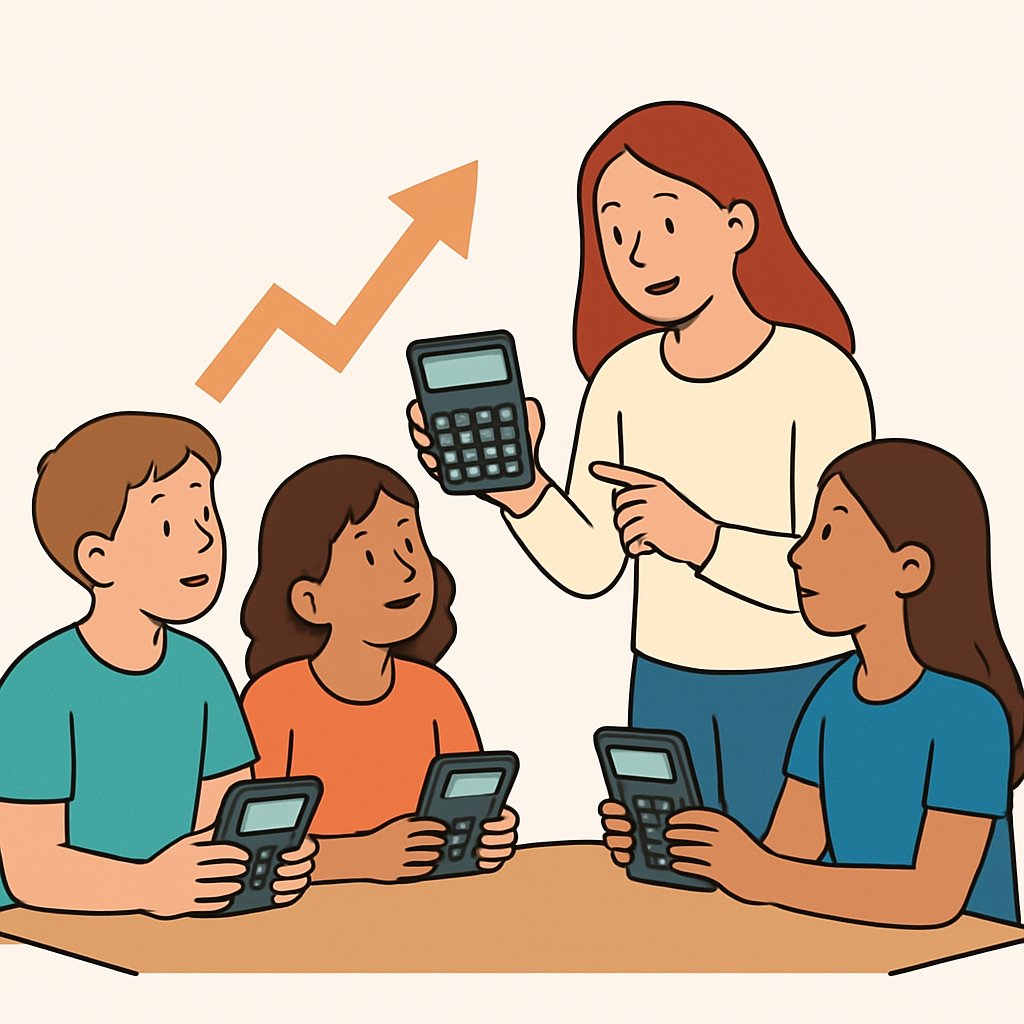
Differentiate Instruction and Provide Accessibility Adaptations for Diverse Learners
Assess Learner Needs
Begin with short tasks to identify calculator skills and preferences.
Additionally gather information about sensory, motor, and cognitive supports.
Also review individualized education plans and accommodation notes when available.
Master Calculations Instantly
Unlock solutions for math, physics, engineering, and chemistry problem with step-by-step clarity. No internet required. Just knowledge at your fingertips, anytime, anywhere.
Design Flexible Learning Paths
Create tiered tasks that vary complexity and supports.
Offer multiple entry points for learners with different readiness.
Provide choice boards to let students select practice formats.
- Include simplified problems with step prompts.
- Offer extended practice with gradual release of guidance.
- Allow alternative responses to demonstrate understanding.
Adapt the Calculator Interface and Materials
Use large print and high contrast materials when helpful.
Offer alternative input methods and tactile supports for hands-on access.
Provide audio or labeled instructions for learners who need auditory input.
Provide Multimodal Instructions and Practice
Demonstrate calculator tasks visually and verbally.
Also model thinking aloud during problem solving.
Design guided practice with fading prompts for independence.
Monitor Progress and Adjust Supports
Collect short, frequent checks to gauge skill growth.
Additionally document accommodations used and student response.
Then adapt supports based on observed needs.
Collaborate with Specialists and Families
Communicate adaptation plans with special educators and therapists.
Also involve families to reinforce strategies at home.
Coordinate regular check-ins to refine accommodations.
Classroom Organization and Peer Support
Organize stations to offer varied practice opportunities.
Pair students for peer tutoring and collaborative problem solving.
Moreover rotate roles to build confidence and shared skills.
Document and Share Adaptations
Create clear adaptation notes for substitute teachers and staff.
Additionally keep adaptable materials organized for quick access.
Daily Routines and Mini-Lessons
Overview
Implement compact daily routines and short mini-lessons to build procedural fluency.
Use these moments to strengthen student confidence with calculators.
Design Short Warm-Ups
Start each class with a predictable, brief warm-up that focuses on one procedure.
Rotate procedures across days to cover different calculator skills.
Keep tasks low stakes to reduce anxiety during practice.
Mini-Lesson Focus Areas
Plan micro-lessons that model a single procedural step clearly.
Include explicit language and consistent prompts for common operations.
Demonstrate troubleshooting moves for frequent entry mistakes.
Routine Formats to Try
- Quick teacher demonstration followed by immediate student imitation.
- Paired practice with rotating roles for problem entry and checking.
- Challenge prompt that asks students to apply a procedure creatively.
- Reflection prompt where students write one thing they learned that day.
Establish Consistent Timing
Schedule routines at consistent points in the class schedule.
Students then know when to expect practice and build habits.
Master Calculations Instantly
Unlock solutions for math, physics, engineering, and chemistry problem with step-by-step clarity. No internet required. Just knowledge at your fingertips, anytime, anywhere.
Feedback and Encouragement Strategies
Offer immediate, specific feedback that highlights correct procedural steps.
Recognize effort and small improvements to build calculator confidence.
Provide brief chances for students to self-assess their comfort levels.
Adjusting Mini-Lessons Based on Observation
Observe common errors and adapt upcoming mini-lessons accordingly.
Group students by similar needs for targeted practice when useful.
Promoting Student Agency
Invite students to suggest warm-up topics they want to rehearse.
Let students lead short demonstrations to build ownership and confidence.
Materials and Simple Supports
Provide clear, concise prompts that students can reference quickly.
Include visual reminders of standard button sequences when appropriate.
Ongoing Refinement
These routines and mini-lessons build fluency and boost confidence over time.
Then revisit and refine routines based on student response.
Engage Families With Clear Communication
Explain Learning Goals and Routines
Begin by describing what students will learn with calculators in plain language.
Additionally, state when and why use of calculators outside class will help learning.
Also clarify expected time commitments and simple daily routines for practice.
Share Practical Content to Guide Families
- Provide short lists of suggested questions families can ask to spark curiosity.
- Offer examples of low-pressure activities that build confidence with numbers.
- Include brief notes about common calculator functions and safe handling tips.
Invite Two-Way Communication
Encourage families to share observations and questions about home practice.
Furthermore, offer simple ways for families to report progress or challenges.
Also schedule optional check-ins to adjust support based on family feedback.
Home Activities to Build Curiosity and Confidence
Simple, Low-Prep Activities
- Turn everyday tasks into short discovery prompts that invite number talk.
- Pose open questions that encourage exploration rather than immediate answers.
- Suggest short challenges that focus on wondering and testing ideas with a calculator.
Prompt Ideas to Encourage Curiosity
- Ask students to predict results before using a calculator, then reflect on surprises.
- Invite comparisons of different calculation strategies and their outcomes.
- Encourage students to create their own questions for family members to try.
Adapt Activities for Home Contexts
Adjust activity length and complexity to match available time and interests.
Also suggest alternatives when families lack consistent device access.
Furthermore, recommend hands-on or paper-based variations that pair with calculator use.
Guidelines for Productive Calculator Practice Outside Class
Set Clear Boundaries and Goals
Define short, achievable practice goals for students to pursue at home.
Additionally, recommend consistent but brief practice sessions for steady progress.
Promote Reflective and Purposeful Use
Ask students to describe the steps they took after using a calculator.
Also encourage students to note surprising results and explain their thinking.
Support Equity and Accessibility
Recognize varied home resources and offer flexible activity formats and schedules.
Moreover, suggest low-tech alternatives that maintain learning goals without a device.
Also provide guidance for safe device handling and responsible use at home.
Monitor Progress and Share Next Steps
Invite families to share short examples of student work or questions from practice.
Therefore, use family feedback to adapt future home activities and support.
Finally, thank families for their collaboration and highlight progress regularly.
Master Calculations Instantly
Unlock solutions for math, physics, engineering, and chemistry problem with step-by-step clarity. No internet required. Just knowledge at your fingertips, anytime, anywhere.
Error-Analysis Labs
Error-analysis labs help students probe calculator mistakes and numeric limitations.
Students investigate, replicate, and learn from those errors.
Learning Goals
Students identify types of calculator errors and limitations through hands-on inquiry.
They develop practices for reproducing and explaining unexpected results.
Also, students communicate findings clearly to peers and teachers.
Designing Investigations
Select tasks likely to reveal precision or input interpretation issues.
Keep scenarios open-ended to encourage student-led questioning and testing.
Create prompts that require replication and explanation of errors.
- Investigate rounding and precision behavior in repeated calculations.
- Explore input formatting differences and ambiguous key sequences.
- Test function domain and error messages for invalid inputs.
- Compare calculator output with mental estimates or paper work.
Lab Protocols and Student Roles
Begin labs with clear roles for observers, replicators, and reporters.
Use a consistent protocol to record steps and outcomes.
Require students to reproduce errors before explaining causes.
- Predict the expected result and note reasoning.
- Perform the calculation and record the output.
- Attempt to replicate the unexpected result using varied inputs.
- Analyze possible numeric or input interpretation causes.
- Present findings and propose corrective strategies.
Classroom Logistics
Allocate time blocks for exploration, replication, and discussion.
Arrange students in small investigative groups.
Provide simple recording templates to capture steps and evidence.
Facilitation Moves
Ask probing questions to guide student reasoning without giving answers.
Model error replication when students struggle to reproduce outcomes.
Encourage students to test alternative inputs and document differences.
Ethical Use and Digital Literacy
This content guides teaching of responsible digital tool use.
It covers privacy, exam readiness, and interpreting tool outputs.
Additionally it suggests classroom activities and teacher routines.
Teaching Responsible Behavior
Start by defining clear ethical principles for tool use in plain classroom language.
Then model responsible choices while explaining consequences for the learning community.
Next present short, neutral scenarios that raise questions about sharing and consent.
Additionally facilitate guided discussions that surface students’ values and reasoning.
Moreover encourage students to draft brief personal pledges about respectful tool use.
Privacy and Device Data Awareness
Explain that devices may retain inputs, settings, and stored data after use.
Then demonstrate how to check and clear stored entries in class demonstrations.
Additionally discuss how sharing screens or photos can expose personal work.
Moreover guide students to ask permission before accessing others’ devices or files.
Finally teach routines that protect peer privacy during collaborative tasks.
Master Calculations Instantly
Unlock solutions for math, physics, engineering, and chemistry problem with step-by-step clarity. No internet required. Just knowledge at your fingertips, anytime, anywhere.
Exam Expectations and Preparedness
Assessments already addressed fairness and integrity.
Next teach students a simple pre-exam device checklist to follow calmly.
Additionally explain how to record work steps in case of device failure during tests.
Moreover rehearse non-digital strategies students can use if devices fail under pressure.
Finally clarify acceptable communication behavior around exams to prevent accidental sharing.
Interpreting Tool Limits and Outputs
Teach students to question unexpected outputs before accepting them as facts.
Then show common result types like approximations, exact forms, or error responses.
Additionally explain that tools can mislead when inputs exceed intended ranges.
Moreover practice interpreting brief on-screen messages to decide next steps.
Finally encourage students to document assumptions and steps alongside outputs.
Digital-Literacy Skill Building Activities
Use hands-on activities to build digital literacy skills.
Design scenarios that highlight consent and privacy decision points.
Include reflection and practical drills to reinforce routines.
- Role-play scenarios that involve consent, data sharing, and asking for permission.
- Privacy audit where students list potential data left on shared devices.
- Walkthrough sessions for safely reviewing and clearing device memory.
- Simulation drills for handling device failure during timed assessments.
- Reflection journals that record decisions, sources, and tool use.
Classroom Habits and Teacher Actions
Establish short routines that normalize privacy checks before and after device use.
Then provide explicit prompts that ask students to name their reasoning steps.
Additionally model transparency by explaining your own decision-making with devices.
Moreover create a simple reporting path for suspected misuse or privacy concerns.
Finally revisit these habits periodically to maintain awareness and responsibility.
Additional Resources
Google search results for How to Teach Calculator Use With Curiosity and Confidence Calculator
Bing search results for How to Teach Calculator Use With Curiosity and Confidence Calculator
Wikipedia overview related to How to Teach Calculator Use With Curiosity and Confidence Calculator


